About This Template
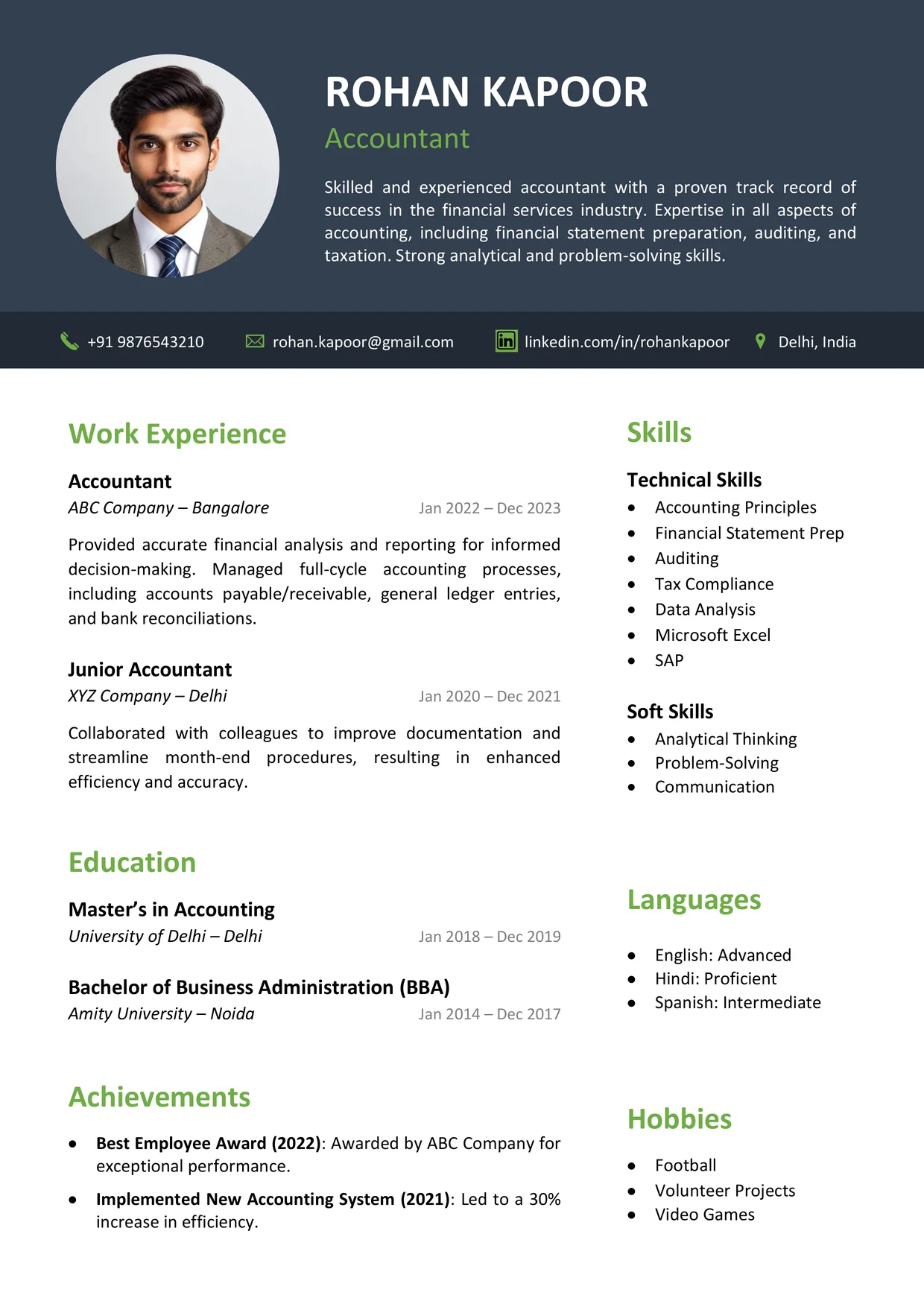
The Latest CV Format is a free Word template that opens with a deep navy banner and a circular portrait. Your name, job title and a short summary share that banner, so the first glance tells a reader who you are.
Directly under the banner, a narrow strip lists your phone number, email, LinkedIn address and city. Section titles in soft green mark each block, so the page stays easy to follow.
Who Should Use This Latest CV Format
Students, career changers and seasoned staff can all use this design, since nothing in it belongs to one trade. The sample wording is only filler, so you can write over it with your own story.
Work Experience, Education and Achievements run down the wide left side. A slim panel on the right gathers Skills, Languages and Hobbies, so the left side can focus on your story.
Want to compare other styles? See our modern CV templates for more options.
Achievements works best for wins that span more than one job. Put a bold title first, then explain the result in one sentence.
Sample Profile Lines
Pick the line closest to your level. Each bracket marks a detail only you can supply.
- Entry-level: [Degree] graduate who completed [internship or project] and is eager to learn [skill area] on a [type of team].
- Experienced: [Job title] with [number] years of [main duties], known for [key strength].
- Senior: [Job title] with [number] years in charge of [type of work] and [number] direct reports.
The summary sits in the banner, so recruiters read it before anything else.
Aim for three or four lines covering your field, your experience and one strength. Plain words work best here, because long stretches of white text on navy are tiring to read. Once that is written, the Latest CV Format reads smoothly from banner to sidebar.
Watch: How to Customize This Template
The video shows each section being filled in, from the banner and photo to the color options.