About This Template
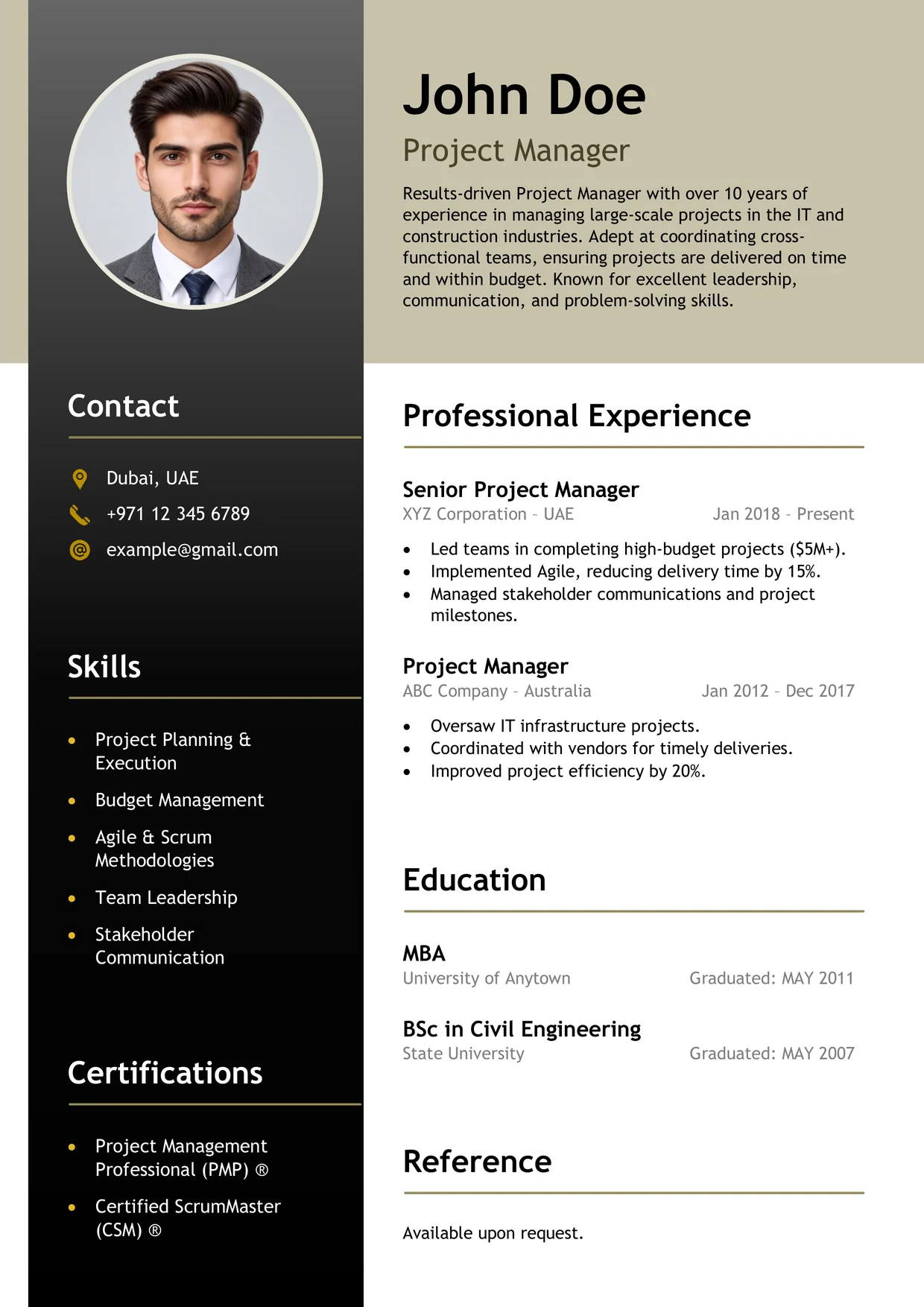
The Executive Resume Template is a free Word file with a tall black sidebar and a beige banner across the top. A round photo anchors the sidebar, while your name, title and summary fill the banner.
Thin gold lines sit under every heading, which gives the page a calm, finished look. Contact details, Skills and Certifications stack neatly on the dark side.
Who Should Use This Executive Resume Template
Pick this professional resume template if you like a restrained look that still feels current. The words inside it are samples only, so swap in your own career details.
Your main story runs down the wide right side in Professional Experience, Education and Reference. This two-column resume template saves the dark side for brief facts, so lengthy job details have room on the right.
Want a different look? Browse more professional CV templates.
List only the certifications that fit the job you want, since the sidebar has limited space. Write each full name once, with its short form in parentheses.
Sample Profile Lines
These lines fit the summary space in the banner. Fill each bracket with your own facts.
- Entry-level: [Degree] graduate with [internship or project] experience, keen to build a career in [area of work].
- Experienced: [Job title] with [number] years in [field], skilled at [key strength] and [second strength].
- Senior: [Job title] with over [number] years leading [type of work], trusted to guide [number] colleagues.
The banner has room for only a few lines, so lead with your strongest point and keep the rest short. Plain wording reads best on the beige background, where dark text stands out clearly.
Finish the summary only when it names your field, your level and one real strength. Once that is set, the Executive Resume Template gives every other section a clear place below it.
Watch: How to Customize This Template
This tutorial builds the Executive Resume Template one block at a time, starting with the sidebar and photo and ending with the Reference section.