About This Template
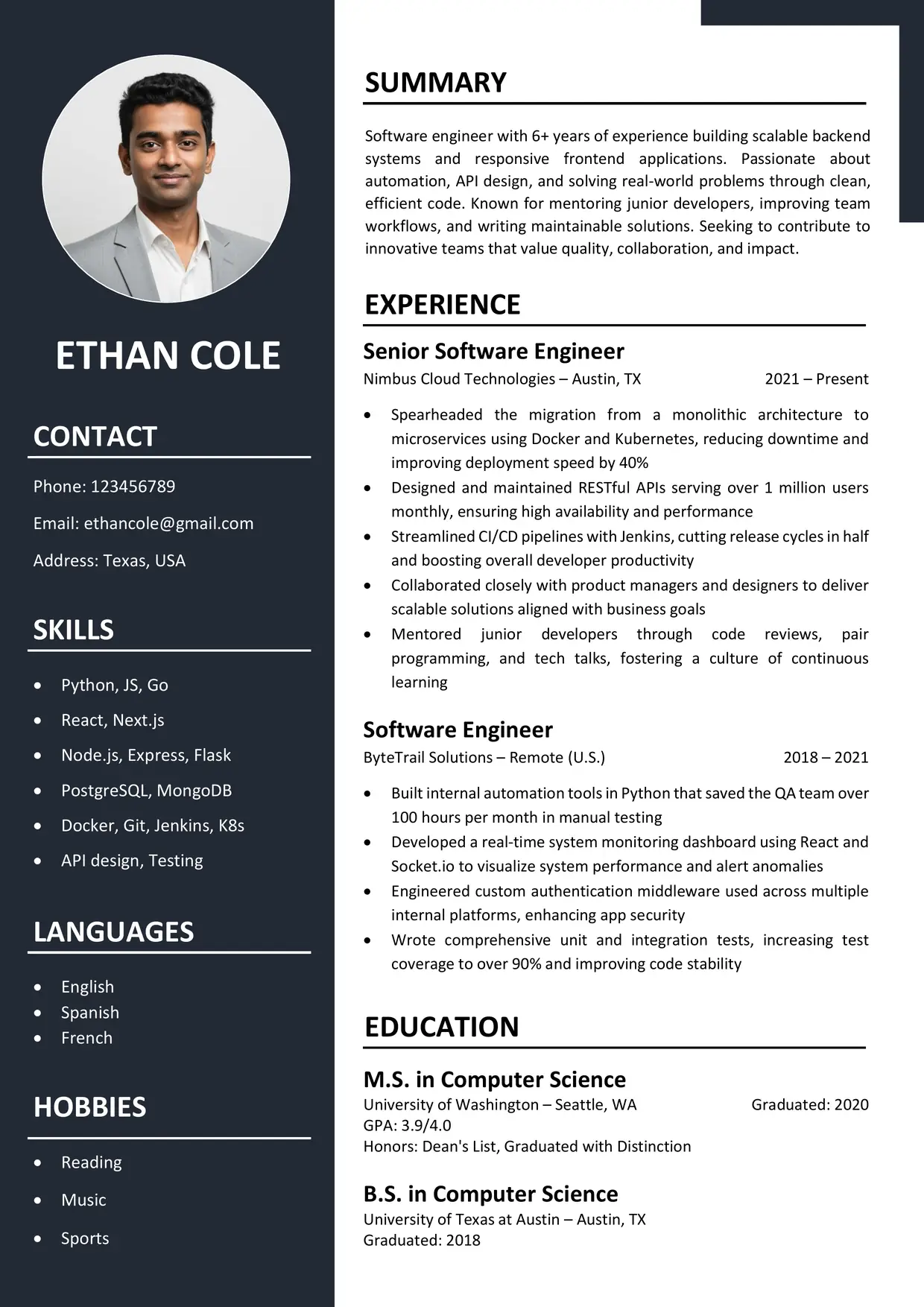
The Best CV Template is a free, two-column CV in Word with a deep navy sidebar and a clean white main page.
A round photo sits at the top of the sidebar, with your name in white capitals just below. A navy block in the top-right corner frames the page.
It suits job seekers who want a classic CV with a little structure.
How to Choose the Best CV Template
A good CV template should match your career stage. Check that its sections fit your content. Then confirm the text stays readable at normal size, so recruiters can scan it.
Also look at how much history you have. A layout with room for several roles and a short skills list handles most careers.
Who Can Use This Two-Column CV
Graduates, experienced applicants and people returning to work can all use it. The layout flexes with your history, so short and long careers both fit. The sidebar holds Contact, Skills, Languages and Hobbies, while the wide column carries Summary, Experience and Education.
If you need a CV template Word file, or a CV template with photo for markets that expect one, this works. As a two column CV template, it also reads as a simple CV format, since nothing is decorative beyond the sidebar. For more options, browse our professional CV templates.
Echo a few words from the job advert in your Summary and first bullets. That way, the top of the page speaks to the role.
Sample Profile Lines
The Best CV Template puts a Summary at the top of the main column, so aim for two or three sentences.
- Entry-level: [Degree] graduate with [number] projects in [skill area], looking to grow in a [type of team].
- Experienced: [Job title] with [number]+ years in [field], skilled at [strength] and [result].
- Senior: Senior [job title] who mentors [number] people and owns [area], with a record of [outcome].
Watch: How to Customize This Template
This 3-minute tutorial shows how to make the Best CV Template in Word, from a blank page to a finished CV.